


Description
Download Readefine – Classic Newspaper‑Style RSS Reader for Windows, Mac, Android & iOS
Overview
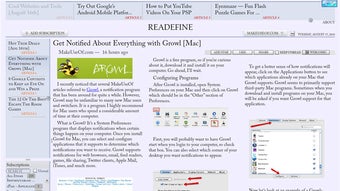
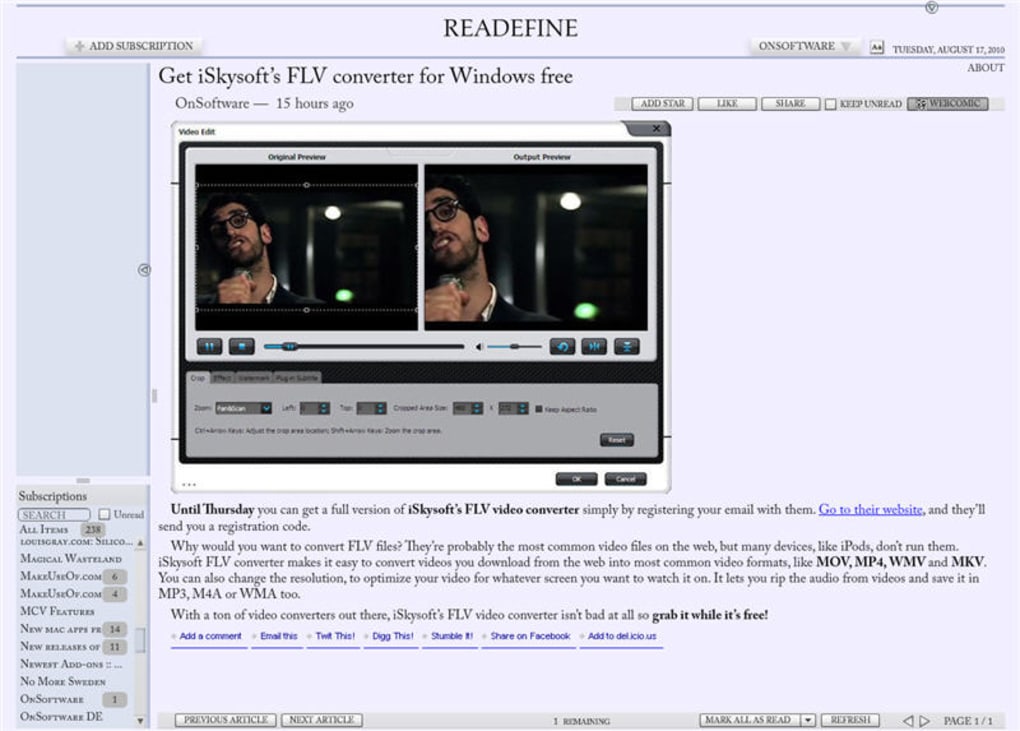
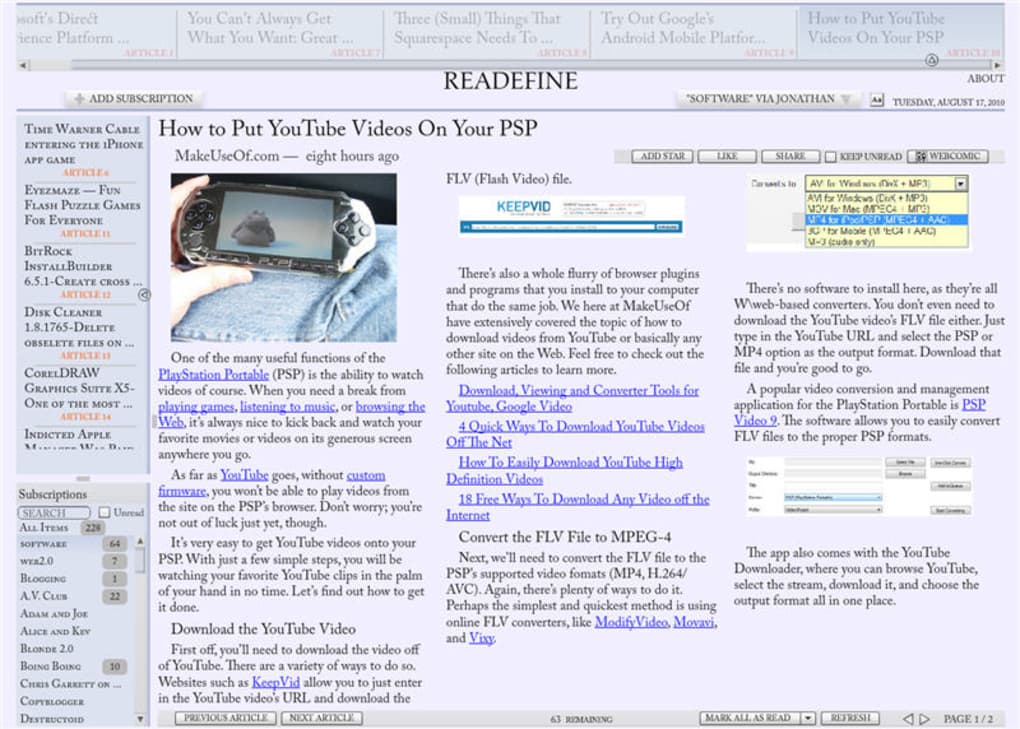
Readefine brings a nostalgic newspaper layout to the modern world of RSS aggregation. By transforming web articles into clean, column‑based pages, it mimics the look and feel of a printed broadsheet while keeping all the convenience of a digital feed reader. The application gathers RSS feeds from your favourite sites, allowing you to browse headlines, skim summaries, and dive into full‑text articles that are automatically reformatted into a traditional newspaper column. Readefine also supports import of feeds from the now‑defunct Google Reader, making the migration process painless for long‑time RSS enthusiasts. Built on Adobe AIR, the software runs on multiple operating systems, but this cross‑platform advantage comes with a modest increase in memory usage. While the visual redesign of articles is its standout feature, the surrounding user interface feels dated and can be unintuitive for new users. Navigation between feed folders is limited, and the built‑in sharing tools lack depth. Nonetheless, for readers who cherish the tactile rhythm of newspaper columns—where each article occupies a defined space on the page—Readefine delivers a unique reading experience that stands apart from conventional list‑style RSS apps. Whether you are a journalist, researcher, or casual news‑junkie, Readefine offers a fresh way to consume content without sacrificing the familiar cadence of print media.
Key Features & Design Philosophy
- Newspaper‑style article rendering with multi‑column layout.
- Support for manual feed addition and Google Reader import.
- Cross‑platform compatibility via Adobe AIR (Windows, macOS, Linux).
- Customizable column width, font size, and theme (light/dark).
- Offline reading mode for saved articles.
- Basic sharing options (email, copy link).
Readefine’s core attraction lies in its ability to restyle any web article into a classic newspaper column. The engine parses the HTML of the original page, strips away extraneous elements like sidebars and ads, and reflows the main content into justified text blocks that span two to three columns, depending on user preferences. This approach reduces visual clutter and encourages deeper focus, similar to the experience of reading a physical newspaper on a quiet morning. The application also offers a range of typographic controls: you can select serif or sans‑serif fonts, adjust line spacing, and toggle between a traditional black‑on‑white scheme or a modern dark mode for low‑light environments. While the article presentation is polished, the surrounding UI feels like a relic from the early 2010s. The feed list appears as a simple vertical pane without collapsible folders, making it difficult to organize large collections. Importing feeds from Google Reader works smoothly, but the imported folder hierarchy is flattened, losing the original structure. The “Share” button, positioned in the toolbar, only opens a minimal dialog that lets you copy the article URL or launch your default email client—there is no direct integration with social platforms or bookmarking services. Performance is another consideration: because the app runs on Adobe AIR, it consumes more RAM than native RSS readers, and loading articles—especially those with heavy multimedia—can be slower. Nevertheless, the newspaper styling compensates for these shortcomings for users who prioritize reading comfort over flashier UI interactions.
Installation, Setup & Daily Workflow
Getting started with Readefine is straightforward. The installer is available as a single .exe file for Windows, a .dmg bundle for macOS, and a platform‑agnostic .air package for Linux users with Adobe AIR runtime installed. After downloading the installer, run it and follow the on‑screen prompts to accept the license agreement and choose an installation folder. The first launch may take a few seconds while the AIR runtime initializes the application environment.
Once opened, Readefine greets you with a clean dashboard that lists “Add New Feed” and “Import from Google Reader.” To add a feed manually, click the plus icon, paste the RSS URL, and assign a custom name. If you have an existing Google Reader backup (XML file), select the import option and browse to the file; the application will parse the feed list and add each source to your library. After the feeds are loaded, the main pane displays the latest headlines in chronological order. Clicking a headline opens the article in the newspaper view, where you can adjust column settings via the toolbar at the top of the article pane.
For everyday use, the workflow is simple: scroll through the headline list, double‑click an item to read, use the navigation arrows to move to the next or previous article, and press the Ctrl+S shortcut to save the article for offline reading. The “Refresh” button updates all feeds, while the “Mark as Read” option clears unread counters. Although the interface lacks drag‑and‑drop organization, you can still filter feeds by tag or keyword using the search bar, which is handy for quickly locating specific topics. Overall, the installation process is quick, the setup requires minimal configuration, and the daily reading routine mirrors that of a traditional newspaper, making it an appealing option for users who value a focused, distraction‑free environment.
Compatible operating systems include Windows 7 and later, macOS 10.10 and later, and Linux distributions that support Adobe AIR (such as Ubuntu, Fedora, and openSUSE). Mobile versions are not officially released, but the underlying web‑based design allows developers to create companion apps for Android and iOS in the future.
Pros, Cons, FAQ & Final Verdict
Pros
- Unique newspaper‑style layout that enhances reading focus.
- Cross‑platform support via Adobe AIR.
- Easy import of Google Reader feeds.
- Customizable typography and column settings.
- Offline reading capability.
Cons
- Interface feels outdated and lacks modern navigation features.
- Limited folder organization for large feed collections.
- Share button offers only basic email and copy‑link functions.
- Higher memory usage compared with native RSS readers.
- No dedicated mobile apps for Android or iOS.
Frequently Asked Questions
Can I use Readefine on Linux?
Yes. Readefine runs on Linux distributions that have the Adobe AIR runtime installed. You can download the .air package and follow the standard AIR installation steps.
Is there a free version of Readefine?
Readefine offers a fully functional free trial for 30 days. After the trial, you can purchase a license to unlock unlimited feed imports and advanced typography options.
How does the newspaper rendering handle images?
Images are automatically resized to fit the column width and are placed inline with the text. You can click an image to view it in full‑size mode.
Can I sync my feeds across multiple devices?
Syncing is not built into the current version. However, you can export your feed list as an OPML file and import it on another device.
Is the software secure and privacy‑friendly?
Readefine does not collect personal data beyond the optional email address used for license registration. All feed fetching occurs over HTTPS when the source supports it.
Readefine shines when you crave a traditional newspaper reading experience on a digital device. Its column‑based layout and typography controls provide a calm, distraction‑free environment that many modern RSS readers lack. However, the outdated UI, limited sharing options, and higher resource consumption prevent it from competing with sleek native alternatives. Users who prioritize visual reading comfort over feature richness will find Readefine a worthwhile download, while power users may look elsewhere.
Conclusion & Call to Action
In summary, Readefine fills a niche that few RSS readers attempt to occupy: delivering web articles in a timeless newspaper format. If you enjoy the rhythm of columns, justified text, and the feeling of turning pages—even on a screen—Readefine offers a compelling, secure, and cross‑platform solution. The trade‑offs include an older‑style interface, modest performance overhead, and the absence of native mobile apps. For readers whose primary goal is comfortable, focused consumption of news and blog posts, these drawbacks are outweighed by the unique aesthetic and offline reading capability. Ready to give your daily news a classic makeover? Download Readefine now and experience the blend of vintage newspaper charm with modern RSS convenience.
Guides & Tutorials for Readefine
How to install Readefine
- Click the Preview / Download button above.
- Once redirected, accept the terms and click Install.
- Wait for the Readefine download to finish on your device.
How to use Readefine
This software is primarily used for its core features described above. Open the app after installation to explore its capabilities.
User Reviews for Readefine 0
No reviews found





.webp)